
Grind.
Brew.
Enjoy.
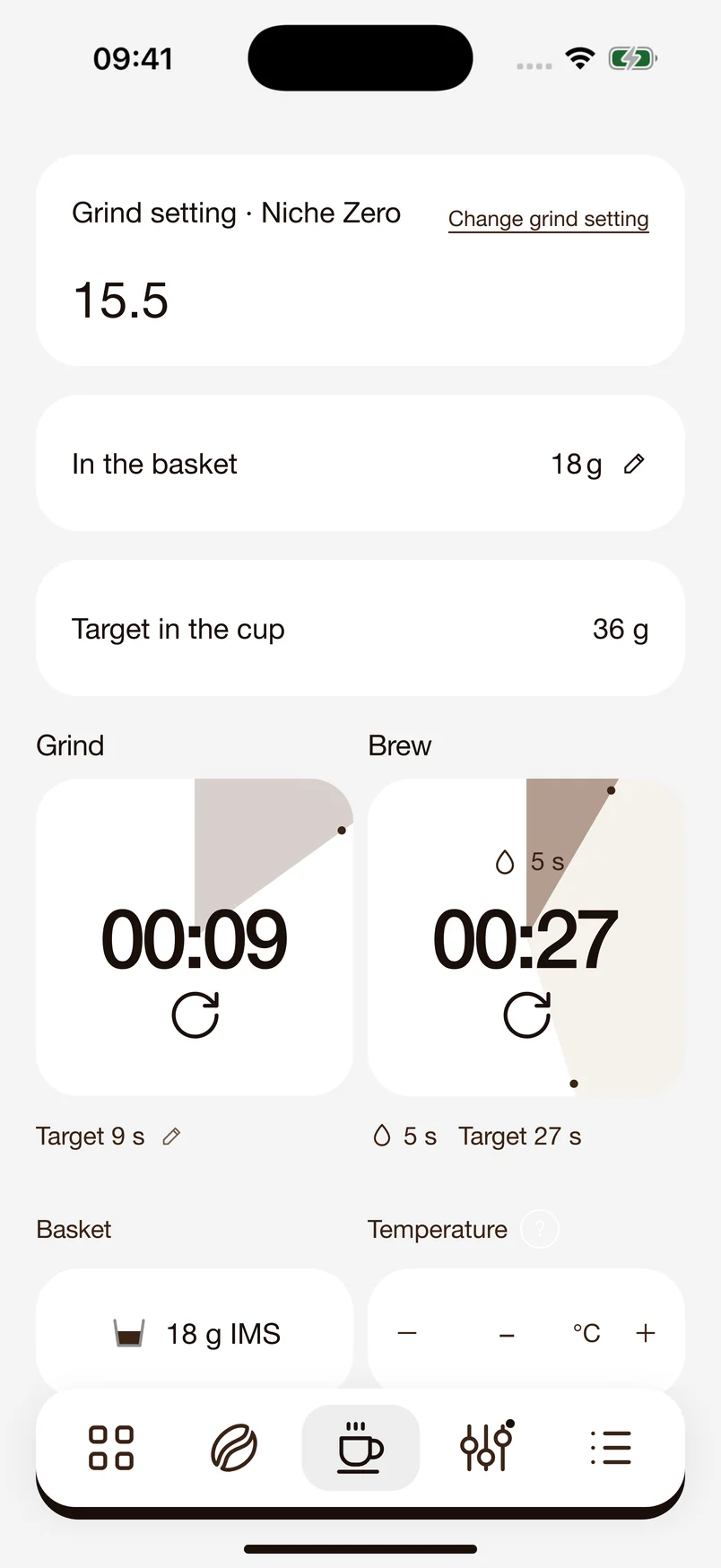
Time grinding and brewing separately, with your dose and target yield in view. You can look back later and see how you made your espresso.
 Coffee Companion
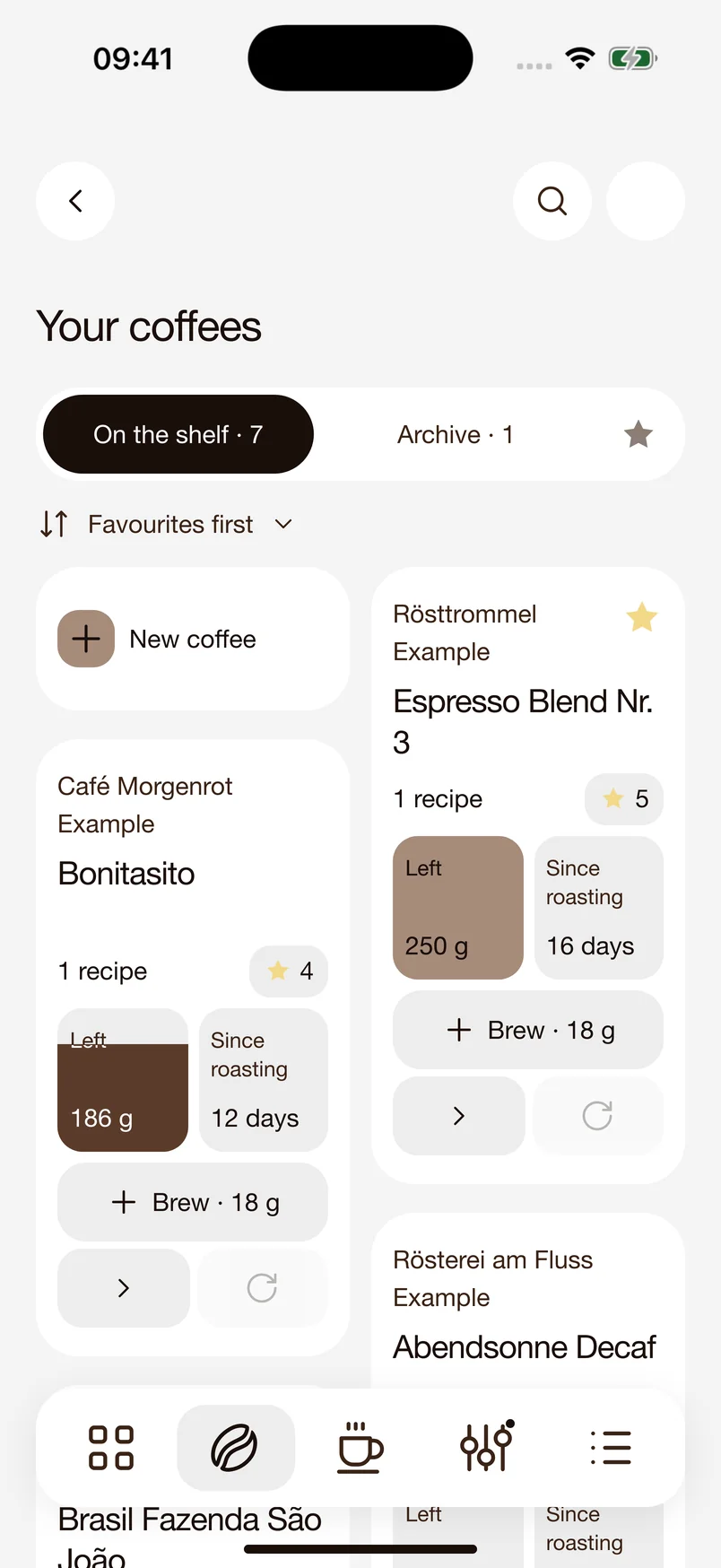
A place for every coffee. Keep track of your beans and save the right recipes alongside each roast. Your settings are easy to find, even when you switch between coffees.
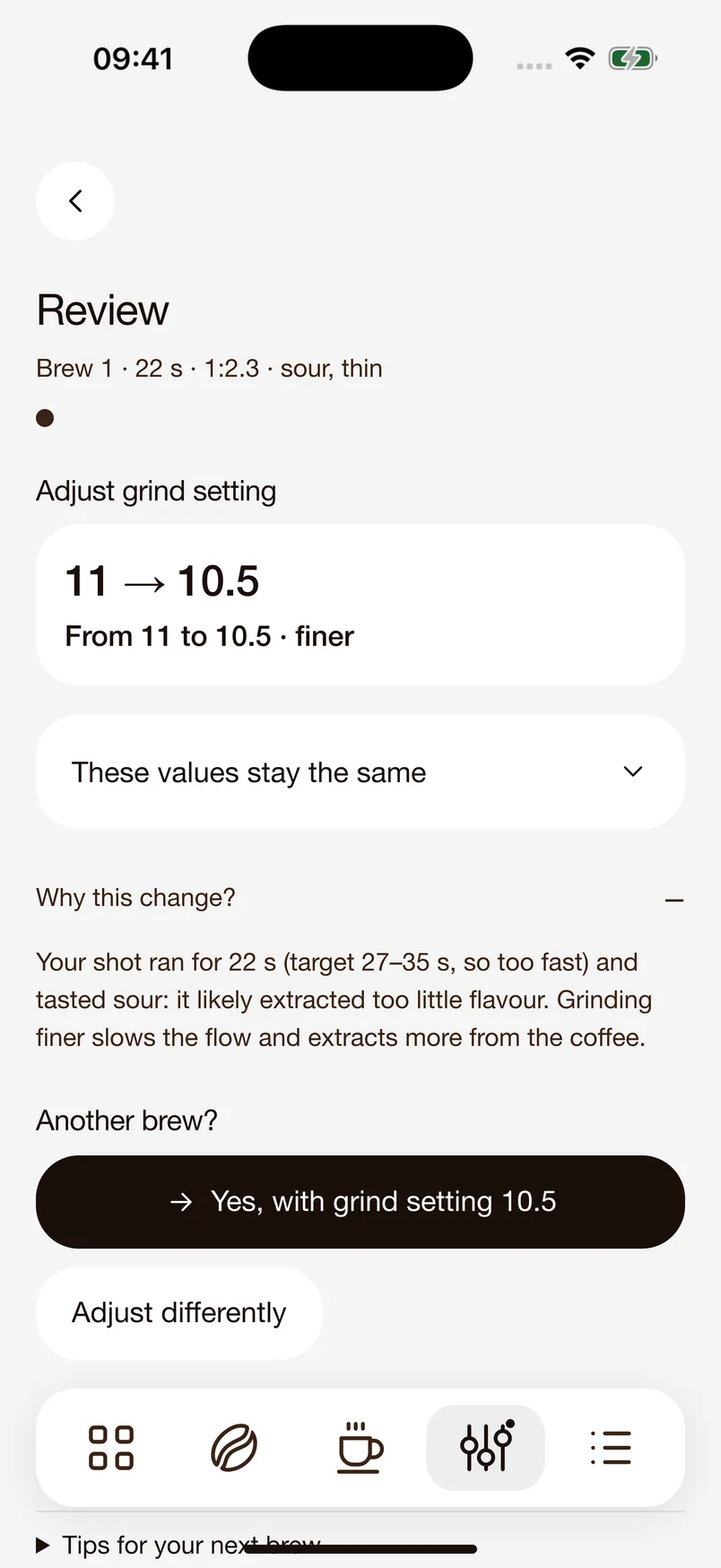
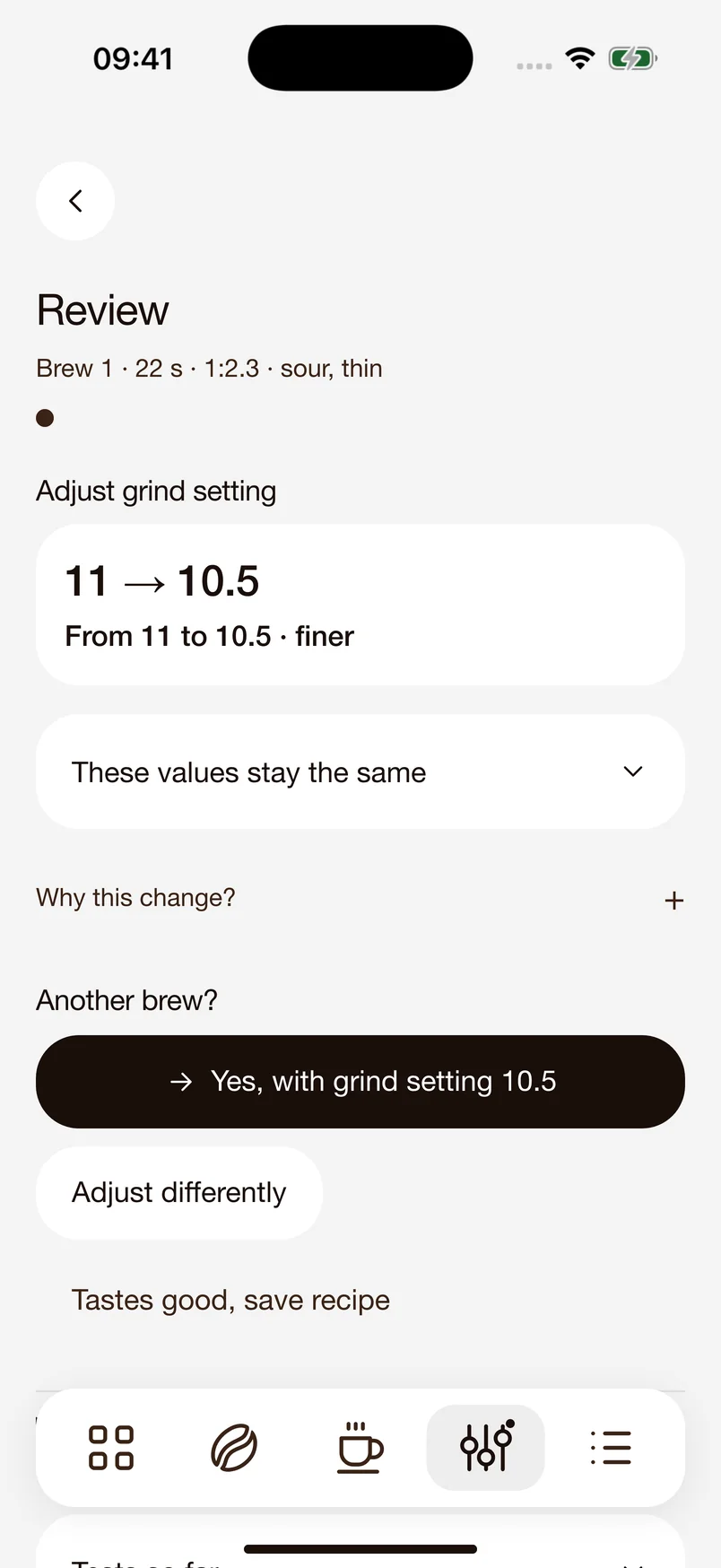
From 11 to 10.5.
Choose your grinder and machine from the list. Known details are filled in for you. If your model is missing, you can add it yourself.
Once your grinder’s scale is saved, 18/36 recommends specific grind settings. You adjust the grinder yourself and try the next shot.
18/36 uses your saved basket dose when suggesting a starting recipe. If your machine lets you adjust the temperature by the degree, the app can factor in brew temperature too.
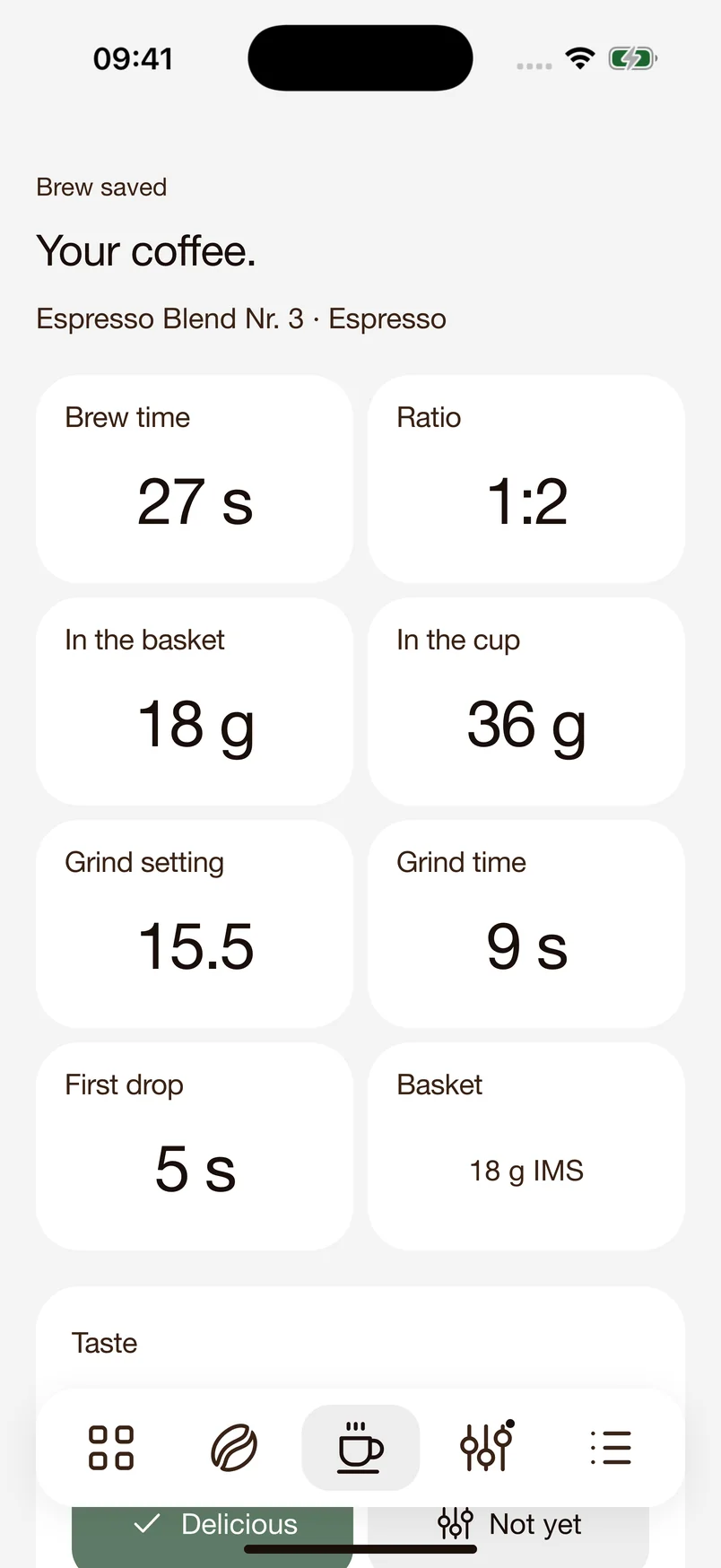
Time grinding and brewing separately, with your dose and target yield in view. You can look back later and see how you made your espresso.
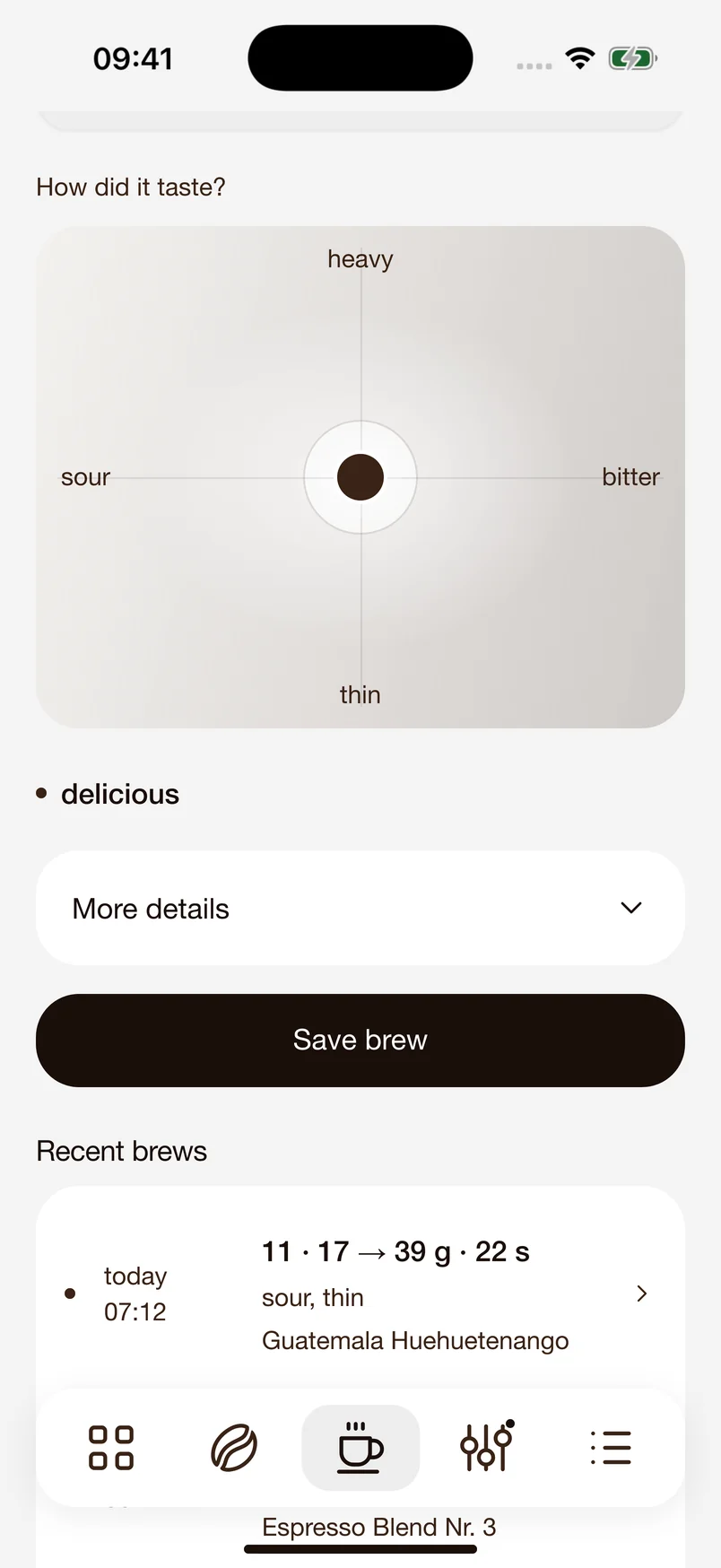
Too sour, too bitter or just right? Mark your impression on the taste pad. Together with your shot data, it helps guide the next step.
18/36 suggests a specific adjustment, such as a finer grind setting. Try another shot and find your setting, one step at a time.
Turn a great espresso into settings you can come back to.
Grind setting, dose, yield and shot time, along with how it tasted. Your saved shot brings the numbers and your impression together.
Look back later to see what you brewed and how you liked it.
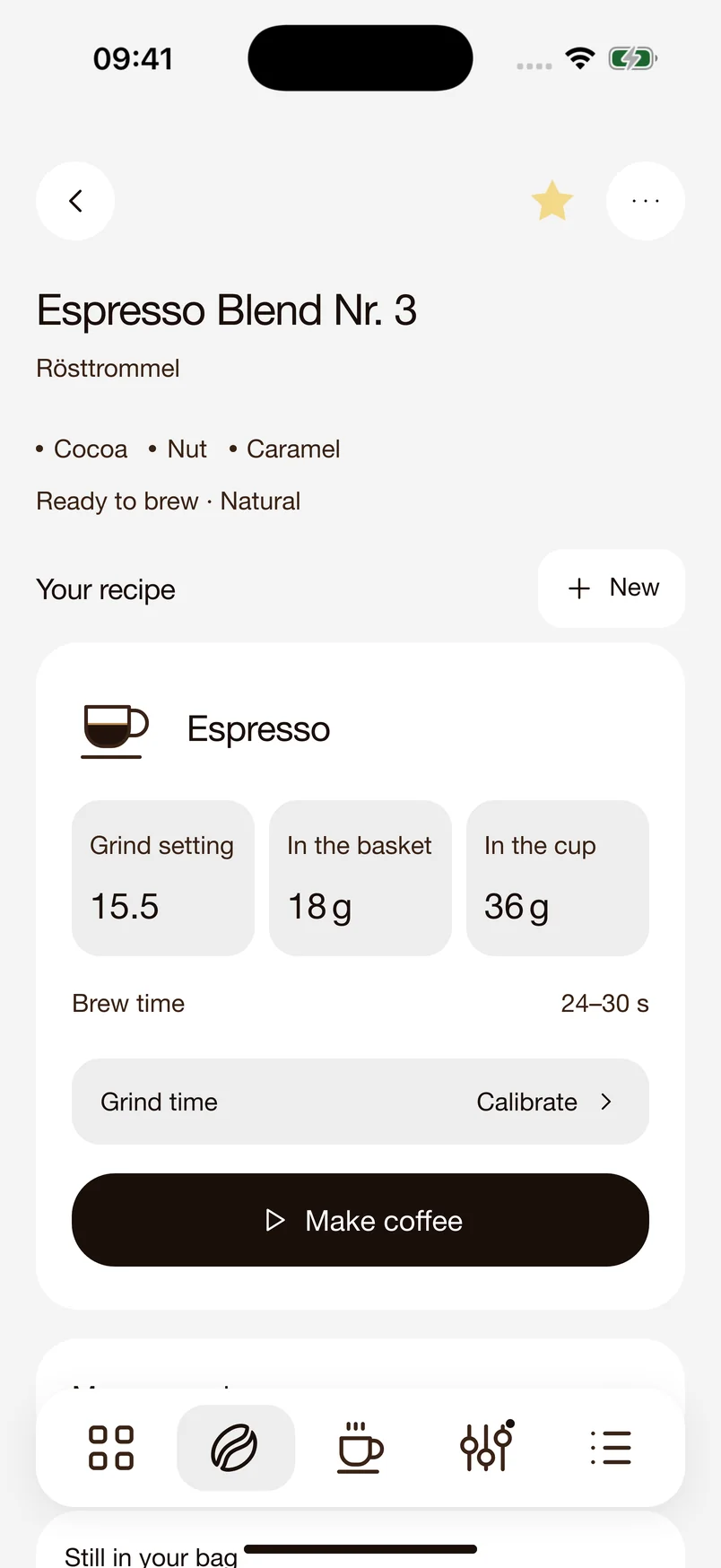
Save a successful shot as a recipe alongside the coffee you used. You can keep several recipes for the same beans.
Next time, open your recipe and start brewing with your saved settings.
So many possibilities.
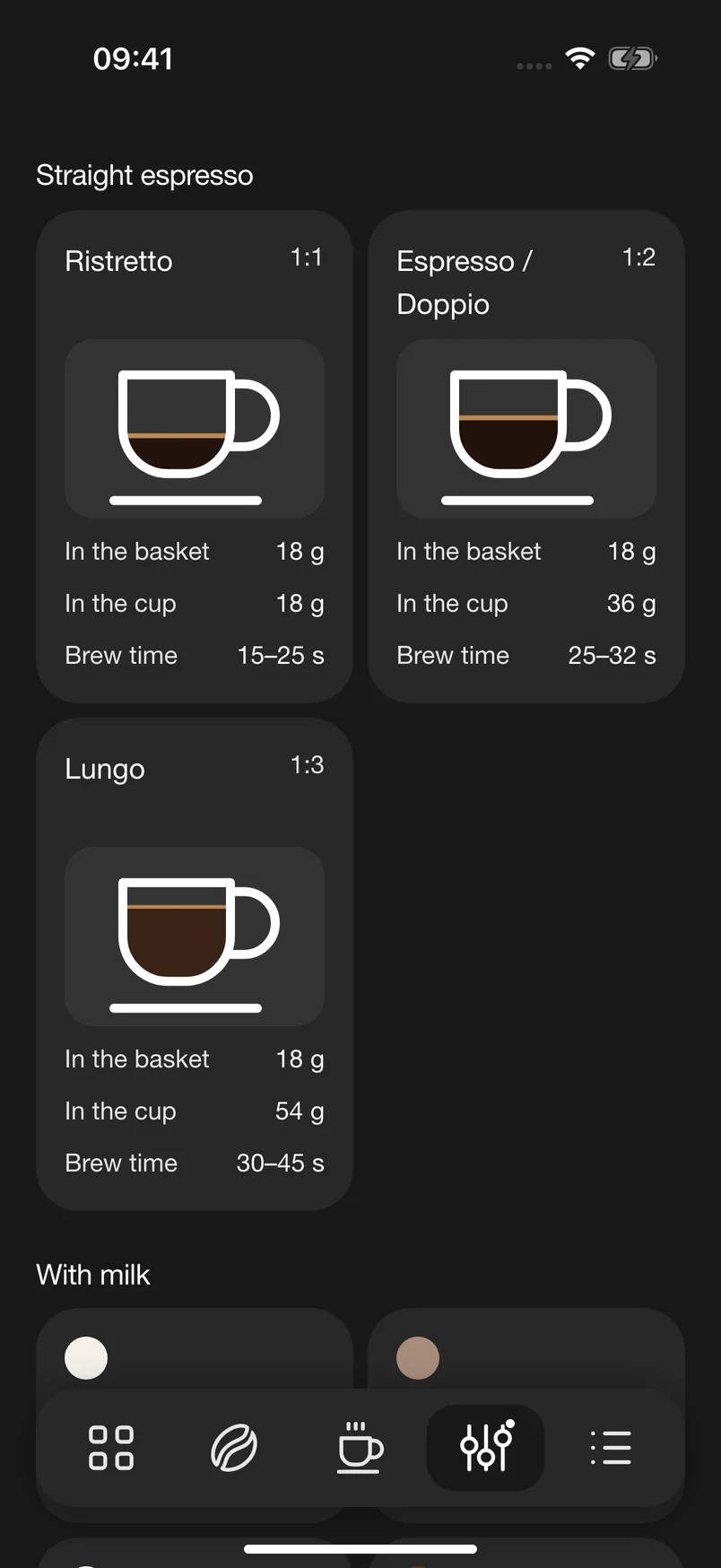
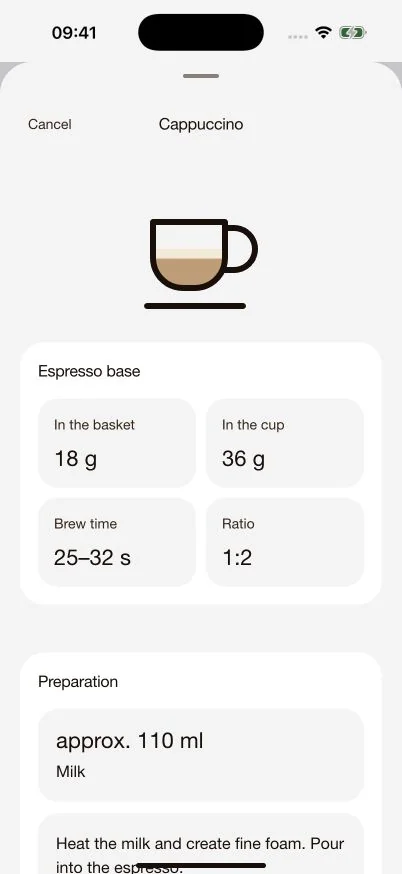
Each recipe separates the espresso base, ingredients and preparation. See how much milk to add and what to do next.
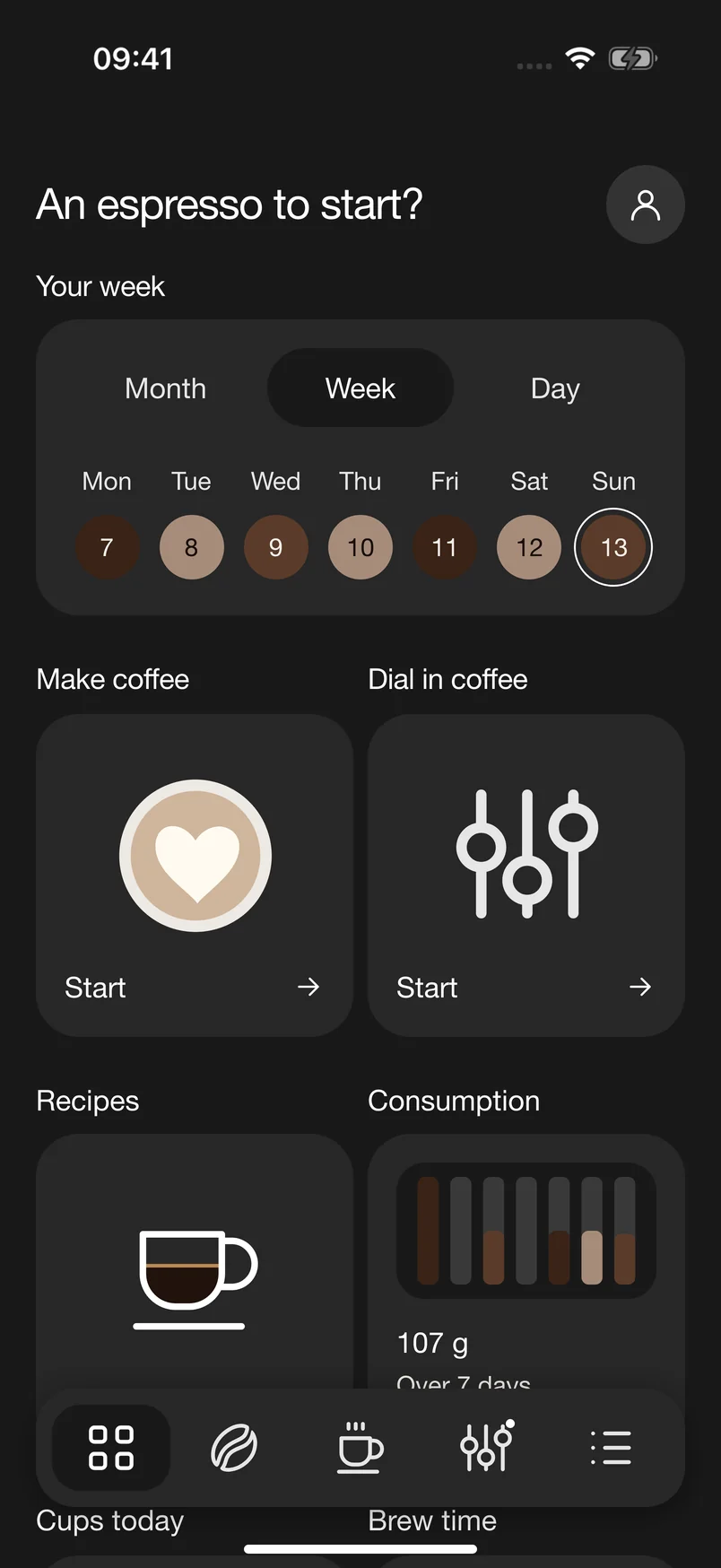
Your next favourite coffeeHow much is left in the bag? How did your last shot go? Keep your coffee data together and stay on top of it.
Grind setting, dose, yield, time and taste stay together. Find individual shots in the daily view and see how you made each espresso.
The coffee dose recorded in each saved shot is deducted from your stock. See how much is left and adjust the remaining amount at any time. The roast date and recipes stay with the beans.
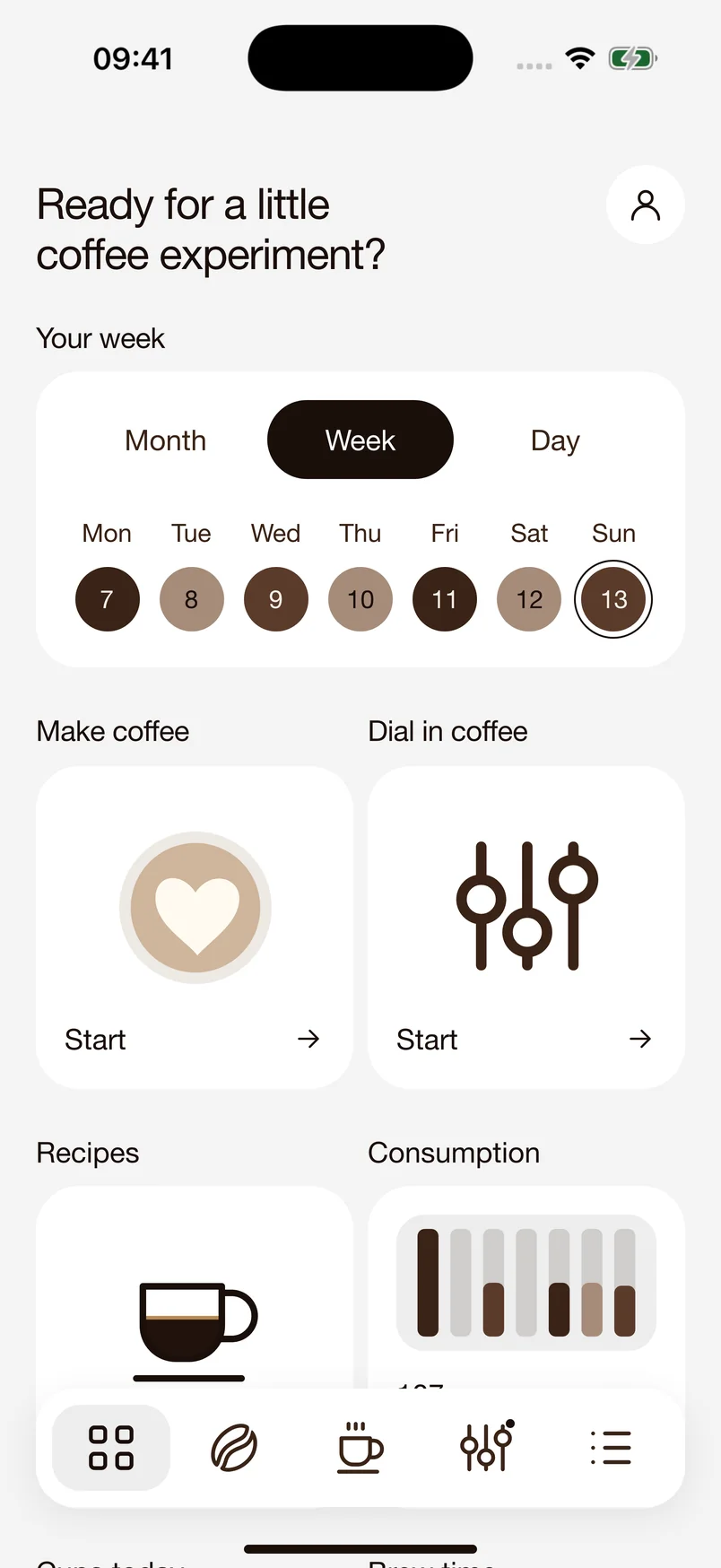
Switch between time periods to see your coffee use, shot count and average shot time. With “Cups today”, you can also count cups manually, including a coffee at a café.
Yield, grind setting, extraction. The coffee glossary explains the terms behind your coffee. Search for a word or browse by topic.
A question mark beside a field opens a helpful explanation. Get a quick answer without leaving your settings.
The tutorial guides you through the app. Interactive previews let you try the controls without changing your beans, shots or stock.
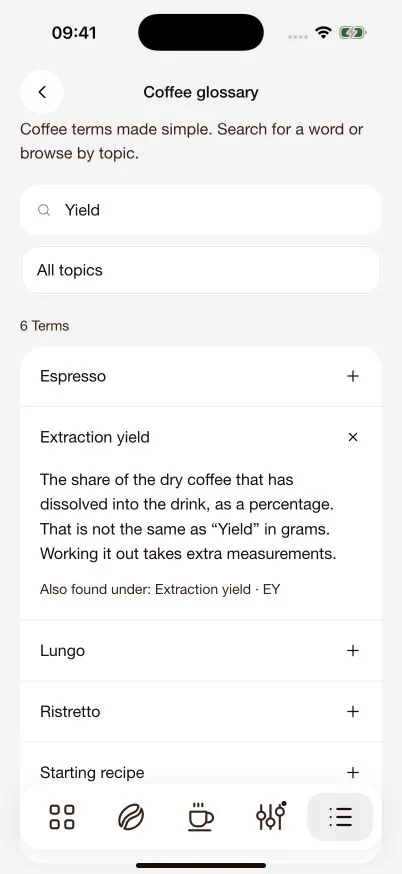
You don’t need an account for your beans, recipes and shots. Your collection stays on your device.
The iPhone app creates local backups. When iCloud Drive is available, it also saves a backup file in your personal storage.
Export shots, beans or recipes as CSV files to view them in a spreadsheet or explore the data yourself.
Anyone who wants to get to know their espresso better. From your first espresso machine to your favourite recipe, 18/36 helps you dial in, brew and find your settings again.
Record how your espresso tastes and how the shot went. 18/36 uses this to suggest a suitable adjustment. Try again and get closer to your taste, one step at a time.
Yes. Each coffee has its own place for stock, roast information and recipes. Find your favourite settings again, even when switching between roasts and drinks.
No. Your beans, recipes and shots stay on your device. The iPhone app also provides backups and can save a backup in your personal storage when iCloud Drive is available.
Try the app free for seven days. To keep using all its features afterwards, unlock Pro with a one-time purchase. There is no subscription and no automatic charge when the trial ends. You can see the current price in the app.
You can use 18/36 without a scale. Shot time and taste will guide your adjustments. Weighing your coffee gives you more precise data. Without a scale, your remaining bean stock is an estimate.
Yes. Use “Cups today” to count cups manually, including at a café or in the office. Tap to add a cup, or use the other button to remove one. This does not change your bean stock.
The introduction and tutorial explain the app step by step. Visit our support page to get in touch. Our privacy policy explains how your data is stored.